
Kitsap Sun
USA TODAY Co.News & Magazines
2.976.00 Reviews
- Version
- 8.10.3
- Installs
- 10.00K
- Age Rating
- Everyone 10+
Screenshots





Our Review of Kitsap Sun
 Analysis by Appyee
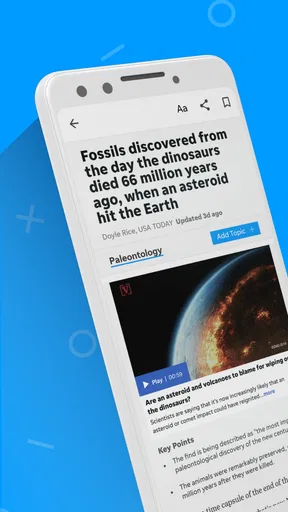
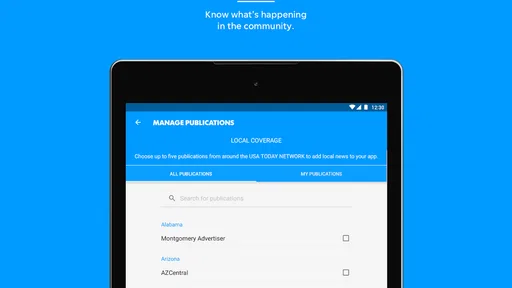
I found Kitsap Sun most useful when I treated it as a shared local-news window rather than as my only source for everything happening in the world. It is a free News & Magazines app from USA TODAY Co., built around Kitsap Sun coverage, with local and national stories, photography, and video in one place. On a household tablet or a phone passed between family members, that combination can be convenient: one person can check nearby developments, another can browse broader headlines, and someone else can watch a news clip without opening several separate apps.
My overall impression is mixed but practical. The app has a clear purpose and can fit naturally into a morning routine, a school-day conversation, or an evening check of local events. At the same time, its average rating of 2.9 from around 176 ratings suggests that the experience has not satisfied everyone. I would not install it expecting a perfectly smooth, universally loved news reader. I would install it if Kitsap Sun’s local perspective matters to me and I am willing to judge the app by that specific value.
How Kitsap Sun works in a shared household
A realistic use case is a family tablet kept in the kitchen. Before leaving for work, I might open the app to scan local headlines. Later, another household member could use the same device to look at national coverage or show a relative a photograph from a developing story. In that setting, the app is less about personal customization and more about making news available at the moment someone wants it.
That shared-device role also exposes an important trade-off. A general news app often tries to build one highly personalized feed around a single reader. Kitsap Sun feels more suitable when the household wants a common reference point: local information that can start a conversation at breakfast or help people understand what is happening around them. It is especially useful for people who have a connection to the Kitsap area, whether they live there, work there, or want to keep up with people and events in the region.
I would be more cautious recommending it to someone who wants only a broad national briefing. The local identity is the reason to choose this app, not a minor detail. If my main goal were international reporting, financial coverage, or a wide selection of specialist publications, I would probably pair this app with a larger news service instead of asking it to cover every interest.
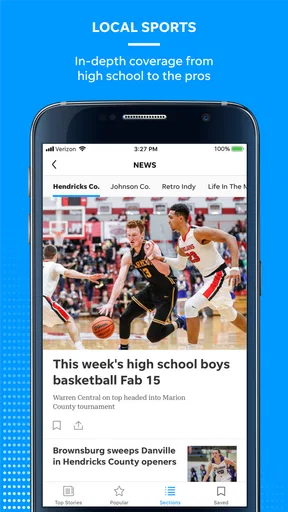
The store summary points to three central parts of the experience: local and national reporting, strong photography, and video content. In everyday use, those formats serve different purposes. Text is generally better when I need context, a photograph can communicate the atmosphere of a place quickly, and video is useful when seeing an event matters more than reading a short description. I found that this variety makes the app easier to share with someone who does not want to read every article from beginning to end.
What I would do before handing over the device
On a shared phone or tablet, I would first open several sections and decide which pages are genuinely useful to the household. That small test helps prevent the app from becoming a source of random tapping. I would also make sure the next person knows whether the device is being used for a quick headline check or for a longer reading session. News apps can feel confusing when one person leaves an article open and another assumes the screen is showing the newest story.
Kitsap Sun is rated for Everyone 10+, which gives it a different household context from an app aimed at very young children. I would still avoid assuming that every story is suitable for every child. News can involve upsetting events, difficult images, or subjects that need an adult explanation. The age label is useful background, but it is not a substitute for a parent or guardian deciding what a particular child should read or watch.
For a family, I would keep the app within an ordinary shared-news routine rather than presenting it as a supervised educational product. An adult could read an article first, then decide whether it is appropriate to discuss or show. That approach respects the difference between a news source and a child-focused app, without making the experience unnecessarily complicated.
Account boundaries and the practical cost of sharing
One question I would settle early is who is expected to use the app and under whose account. The app itself is free to install, but it includes in-app purchases ranging from $14.99 to $69.99 per item. That matters on a household device, especially when several people use the same app-store account or when a child has access to the tablet. I would review purchase settings before sharing the device and make sure everyone understands that free installation does not necessarily mean every part of the service is free.
I would not treat the purchase range as a reason to reject the app automatically. News organizations often place some reading options or access arrangements behind payment, and a household may decide that local reporting is worth paying for. The key point is to make that decision deliberately. If I only want an occasional headline scan, I would first use the free portion and observe how often I return. If the app becomes part of my daily routine, I could then consider whether a paid option makes sense for my household.
This is also where shared use can become awkward. One person may want full access while another only wants a few articles, and a single device does not always make those boundaries obvious. I would avoid letting a family member make a purchase simply because a screen invites it. Instead, I would keep purchasing decisions with the adult who manages the household’s app account and explain that the app’s free label refers to obtaining the app, not necessarily to every possible item inside it.
Another sensible boundary is separating news reading from personal conversations. If the device is used by several people, I would avoid leaving a private account signed in if the app offers any account-based area that the household does not want others to access. I am not assuming special family controls here; this is simply good shared-device practice. Each person should know whether they are reading public material, using a household purchase, or entering an individual account space.
Coordinating local information without turning it into noise
The strongest household benefit is coordination. A local story can affect travel plans, school conversations, work schedules, or a family member living nearby. Instead of sending several unrelated screenshots from different sources, one person can point others toward the same Kitsap Sun article or video. That gives the household a common starting point, even when everyone reads at a different pace.
I found it helpful to distinguish between “need to know” stories and “interesting to know” stories. For urgent household planning, I would read the full article rather than relying on a headline or image. For casual conversation, a quick scan may be enough. This simple distinction prevents the app’s visual presentation from making every item feel equally important.
Photography is particularly useful in a shared setting because it lets someone understand a place or event quickly. A relative who does not have time for a long article may still look at the image and ask what happened. Video can serve a similar purpose, but I would be more selective when using it around children or in public spaces. A video that is appropriate for an adult news check may not be comfortable to play aloud in a kitchen or living room.
My advice is to use the app as a conversation starter, not as a replacement for checking details. If a story could change a plan, I would read beyond the opening lines and look for the latest context inside the article. If a family member forwards a headline without explanation, I would open the story myself before treating it as confirmed. That habit is valuable with any news service, but it matters even more when one app becomes the household’s shared reference point.
There is also a useful division of labor. One person might browse local reporting in the morning, while another checks national stories later. A third family member may prefer photographs and video because they are easier to consume during a short break. The app does not need to serve everyone in exactly the same way. Its value increases when the household agrees on what each person is using it for.
Where it differs from larger news alternatives
Compared with a national news aggregator, Kitsap Sun has a more focused identity. An aggregator is usually better when I want many publishers, rapid comparison, or a broad mixture of subjects. Kitsap Sun is better when the local source itself is the reason I opened the app. That focus can make the experience feel more relevant for regional readers, but it can also feel narrow for someone who rarely follows local news.
Compared with a general newspaper app, the choice depends on location. A large national publication may offer deeper coverage of politics, business, culture, or international events. Kitsap Sun’s appeal is more personal and geographic: it can connect the household with the place associated with its name. I would choose it alongside a broader app if I wanted both local awareness and national depth.
Compared with a mobile browser, the app should be more convenient for repeated visits because it keeps the publication in a dedicated space. A browser is more flexible, though, especially if I want to compare several sources or avoid adding another app to a crowded phone. Someone who reads Kitsap Sun only once in a while may prefer the browser, while a regular local-news reader may appreciate having a direct app entry point.
The rating is worth considering before downloading. A 2.9 average is not a strong signal of universal satisfaction, so I would approach the app with realistic expectations. I would give it a fair trial based on access to Kitsap Sun content, not only on interface polish. If navigation, account handling, or purchase prompts interfere with the way I read, a browser or another news app may be the better everyday tool.
Device age, version, and everyday reliability
The current version is 8.10.3, and the app requires Android 8.0 or later. That makes the operating-system requirement important for anyone using an older household phone or a hand-me-down tablet. Before planning a shared installation, I would check the device’s Android version rather than assuming that an older device can run it simply because it still handles basic web browsing.
The app was released on December 6, 2010, so it has been around long enough to be familiar to readers who have followed the publication through different mobile eras. Longevity can be reassuring, but it does not guarantee that the app will feel equally comfortable on every device. On an older phone, I would pay attention to how quickly articles, photographs, and videos open, especially if several people depend on the same device during the day.
The install figure is over 10K, which suggests a modest footprint compared with huge national news platforms. I would interpret that carefully. It does not tell me whether the app will suit my household, but it reinforces the idea that this is a focused publication app rather than a mass-market news hub. The right question is whether its local coverage is valuable enough to justify keeping it installed.
For a shared device, I would also keep the workflow simple: open the app, read the article, return to the main feed, and leave the device ready for the next person. I would not rely on one family member’s memory to explain every screen. Clear household habits matter more than squeezing every possible feature out of the app.
Who should use it, and who should skip it
I would recommend Kitsap Sun to a reader who wants a direct connection to Kitsap-area news and likes having text, images, and video together. It makes sense for households with relatives or routines tied to the region, for adults who want a quick local check before the day begins, and for readers who prefer a publication-focused experience over an endless stream of unrelated headlines.
I would also recommend it as a companion app. Pairing it with a broader national source can cover the different scales of news without expecting one publication to do everything. In that arrangement, Kitsap Sun handles the local layer while the other service handles subjects outside its natural focus.
I would skip it if I have no interest in Kitsap coverage, if I want a single app with many competing publishers, or if I strongly dislike the possibility of in-app purchase decisions. I would also hesitate to make it the only news source for a household that needs extensive international, financial, or specialist reporting. Its purpose is clearer and narrower than that.
For children, I would use adult judgment. The Everyone 10+ rating is a useful age reference, but a news app is not the same as a child-safe entertainment catalog. I would preview stories, keep difficult subjects open for discussion, and avoid assuming that a shared family tablet needs to be available to every age group without supervision.
My household verdict
After looking at the app through a shared-device lens, I see Kitsap Sun as a focused local-news tool with a sensible place in a household routine. Its strongest quality is not that it tries to replace every other news source. It is that it gives people connected to the Kitsap area one convenient place to read, watch, and discuss nearby reporting while still offering national coverage.
The free download lowers the barrier to trying it, but the in-app purchase range means I would establish account and payment boundaries before letting several people use it. I would also check the Android requirement on an older tablet and decide whether the app is a primary source, a local companion to a broader service, or simply an occasional reference.
My recommendation is conditional but positive: if local relevance is your priority, install it and test it as part of your real household routine. If you mainly want a wide, highly personalized national news feed, choose a broader alternative instead. Kitsap Sun earns its place when the publication’s regional focus matters to you; outside that situation, its narrower purpose may be more limitation than advantage.
Verdict
Strengths of Kitsap Sun
- Fast access to local Kitsap Peninsula news and community updates.
- Clean, straightforward layout makes articles easy to browse.
- Breaking-news alerts help readers stay informed throughout the day.
- Supports saving stories for reading later when available.
- Useful coverage of local events, schools, sports, and public affairs.
Limitations of Kitsap Sun
- Many full articles may require a paid subscription to access.
- Some content can feel narrowly focused on the local area.
- Push notifications may become frequent without careful customization.
- App performance and loading speed can vary with network conditions.
- Limited appeal for readers seeking broad national or international coverage.
Other Releases by USA TODAY Co.
View All
IndyStar: Indianapolis Star
News & Magazines2.7

AZ Central: Arizona Republic
News & Magazines2.5

The Detroit News: Local News
News & Magazines3.1

Detroit Free Press: Freep
News & Magazines3.0
Similar Picks in This Category
View All
Google News - Daily Headlines
Google LLC4.0

X
X Corp.4.8

Flipboard:Your Social Magazine
Flipboard3.4

Opera News: breaking & local
Opera4.5

Hindi News by Dainik Bhaskar
Dainik Bhaskar Group4.0

Way2News Daily News App
Way2News ( Formerly Way2SMS )4.6
Frequently Asked Questions
What is Kitsap Sun?
Kitsap Sun is a local news app focused on reporting from Kitsap County and surrounding areas in Washington State. It typically provides breaking news, community updates, local politics, sports, business coverage, entertainment, opinion articles, and other regional stories. It is designed for readers who want convenient access to journalism about Bremerton, Bainbridge Island, Poulsbo, Port Orchard, and nearby communities.
Is the Kitsap Sun app free to download and use?
The Kitsap Sun app can generally be downloaded without an upfront charge, allowing users to install it and explore available content. However, access to some articles or premium features may require a subscription, especially when the publication applies a digital paywall. Before subscribing, check the current pricing, trial terms, renewal conditions, and included benefits shown in the app or on the official Kitsap Sun website.
Does Kitsap Sun require a subscription to read articles?
Not every story is necessarily restricted, but frequent readers may encounter limits on the number of articles they can access without a digital subscription. A subscription may unlock unlimited reading, subscriber-only journalism, e-edition access, newsletters, or other benefits, depending on the current plan. Availability and restrictions can change, so review the subscription information before entering payment details.
What type of news and features are available in Kitsap Sun?
The app is primarily intended for local and regional coverage rather than general international news. Users can expect sections covering breaking developments, crime and public safety, schools, local government, community events, sports, weather-related information, business, lifestyle, and opinion content. The exact layout and features may vary between app versions, but the main focus remains timely reporting relevant to Kitsap County residents.
Can I receive breaking-news alerts from Kitsap Sun?
Kitsap Sun may support push notifications for breaking news, important local updates, and other selected topics. During setup, the app can request permission to send alerts, and notification preferences may be adjustable through the app or your device settings. If you want timely updates, enable notifications; if alerts become excessive, you can customize or disable them without uninstalling the application.
